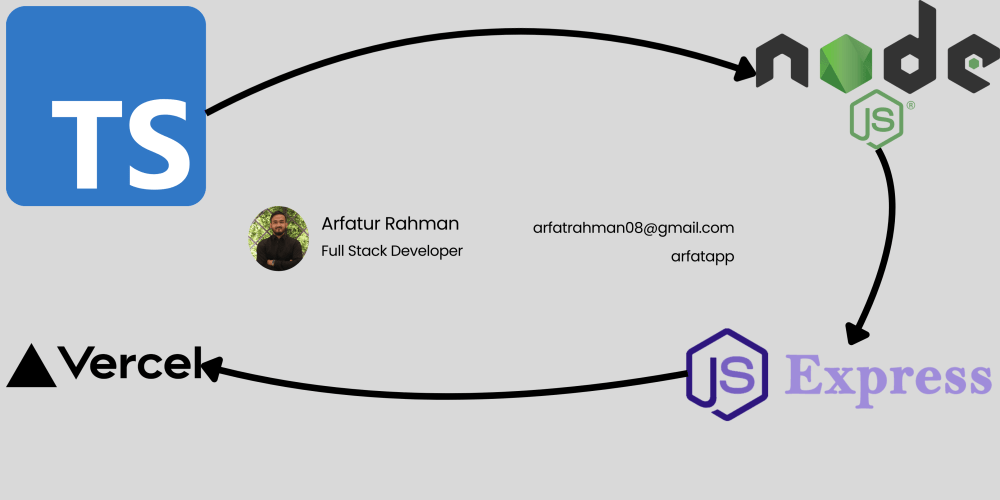

Building a TypeScript Express API for Vercel Deployment: A Step-by-Step Guide
Learn how to create a type-safe REST API with Express and TypeScript, configured for seamless Vercel deployment. This comprehensive guide covers project setup, TypeScript configuration, API development, and deployment best practices.
Introduction
In this guide, we’ll walk through building a simple REST API using Express with TypeScript, designed for easy deployment to Vercel. The API will manage a collection of blog posts stored in memory and include endpoints to create and retrieve posts. We’ll ensure type safety, configure environment variables, and follow modern backend development practices to create a scalable and maintainable project.
This tutorial is perfect for developers looking to:
- Build a REST API with TypeScript and Express
- Ensure type safety for robust code
- Deploy a Node.js application to Vercel
- Understand modern backend development workflows
The API includes the following features:
- Type safety with TypeScript interfaces
- Environment variable configuration
- Proper project structure for scalability
- Development tooling for a smooth workflow
- Vercel deployment configuration
Project Setup
1. Initialize Node.js Project
Start by creating a new Node.js project:
npm init -y && npm pkg set name="arfat.app" description="TypeScript Express API" author="Arfatur Rahman"
This creates a package.json file with default values, setting the project name, description, and author.
2. Install Runtime Dependencies
Install the necessary runtime dependencies:
npm i express cors axios body-parser dotenv
- express: Web framework for Node.js
- cors: Middleware for enabling CORS
- axios: HTTP client for making requests
- body-parser: Middleware for parsing request bodies
- dotenv: Loads environment variables from a .env file
3. Install Development Dependencies
Add development dependencies for TypeScript and tooling:
npm i -D typescript ts-node-dev nodemon @types/express @types/node @types/cors
- typescript: TypeScript compiler
- ts-node-dev: Runs TypeScript files with hot reload
- nodemon: Watches for file changes and restarts the server
- @types/express: Type definitions for Express
- @types/node: Type definitions for Node.js
- @types/cors: Type definitions for CORS
4. Initialize TypeScript Configuration
Generate a tsconfig.json file to configure TypeScript:
npx tsc --init --rootDir src --outDir dist
This sets the source files in the src directory and compiled output in the dist directory.
Project Structure
Here’s the recommended project structure:
project-root/ ├── src/ │ └── index.ts # Main application file ├── .env # Environment variables ├── .gitignore # Files to ignore in Git ├── package.json # Project configuration ├── tsconfig.json # TypeScript configuration └── vercel.json # Vercel deployment configuration
Key Files Explained
1. tsconfig.json
The tsconfig.json file configures the TypeScript compiler:
{ "compilerOptions": { "target": "es2016", "module": "commonjs", "rootDir": "src", "outDir": "dist", "esModuleInterop": true, "forceConsistentCasingInFileNames": true, "strict": true, "skipLibCheck": true }, "include": ["src"], "exclude": ["node_modules"] }
Key settings:
- target: Compiles to ES2016 for modern JavaScript features
- module: Uses CommonJS for Node.js compatibility
- rootDir: Specifies src as the source directory
- outDir: Outputs compiled JavaScript to dist
- strict: Enables strict type checking for robust code
- esModuleInterop: Ensures compatibility with CommonJS modules
2. package.json Scripts
Update the scripts section in package.json to include:
{ "scripts": { "dev": "ts-node-dev --respawn --transpile-only --exit-child src/index.ts" } }
The dev script runs the server in development mode with hot reloading and faster compilation.
3. src/index.ts
The main application file sets up the Express server and defines the API:
import express, { Request, Response, Application } from "express"; import { randomBytes } from "crypto"; import bodyParser from "body-parser"; import dotenv from "dotenv"; import cors from "cors"; // Configuration dotenv.config(); const PORT = process.env.PORT || 4000; // Types interface Post { id: string; title: string; } interface Posts { [key: string]: Post; } // App State const posts: Posts = {}; // Express App Setup const app: Application = express(); app.use(bodyParser.json()); app.use(cors()); // Helper Functions const generateId = (): string => randomBytes(4).toString("hex"); // Controllers const getRoot = (req: Request, res: Response) => { res.send("Assalamualikum"); }; const getAllPosts = (req: Request, res: Response) => { res.json(posts); }; const createPost = (req: Request, res: Response) => { const id = generateId(); const { title } = req.body; if (!title) { res.status(400).json({ error: "Title is required" }); return; } posts[id] = { id, title }; res.status(201).json(posts[id]); }; // Routes app.get("/", getRoot); app.get("/posts", getAllPosts); app.post("/posts", createPost); // Server Initialization const startServer = async (): Promise<void> => { try { app.listen(PORT, () => { console.log(`Server is running on port: ${PORT}`); }); } catch (error) { console.error(`Failed to start server: ${error}`); process.exit(1); } }; startServer();
This file includes:
- Configuration: Loads environment variables and sets the default port
- Types: Defines Post and Posts interfaces for type safety
- State: Uses an in-memory object to store posts
- Express Setup: Configures middleware for JSON parsing and CORS
- Routes: Defines endpoints for the root, retrieving posts, and creating posts
- Server Initialization: Starts the server with error handling
4. vercel.json
The vercel.json file configures Vercel deployment:
{ "version": 2, "builds": [ { "src": "src/index.ts", "use": "@vercel/node" } ], "routes": [ { "src": "/(.*)", "dest": "src/index.ts" } ] }
This configuration:
- Specifies src/index.ts as the entry point
- Uses the @vercel/node builder for Node.js apps
- Routes all requests to the Express app
5. .env and .gitignore
Create a .env file for environment variables:
PORT=4000
Create a .gitignore file to exclude sensitive files:
.env node_modules
You can automate this with:
echo -e 'PORT=4000' > .env && echo -e '.env\nnode_modules' > .gitignore
Development Workflow
-
Create Configuration Files:
- Set up .env and .gitignore as shown above.
-
Start the Development Server:
npm run devThe server will:
- Run on the specified port (default: 4000)
- Automatically restart on file changes
- Log activity to the console
Deploying to Vercel
1. Install Vercel CLI
Install the Vercel CLI globally:
npm i -g vercel
2. Verify Installation
Check the Vercel CLI version:
npx vercel --version
3. Log in to Vercel
Authenticate with Vercel:
npx vercel login
4. Deploy the Application
For a preview deployment:
npx vercel
For a production deployment:
npx vercel --prod
API Endpoints
GET /
- Description: Returns a welcome message
- Response: "Assalamualikum"
GET /posts
- Description: Retrieves all posts
- Response: JSON object containing all posts
POST /posts
- Description: Creates a new post
- Body: { "title": "Post Title" }
- Response: JSON object of the created post with a generated ID
- Error: Returns 400 if title is missing
Type Safety
TypeScript interfaces ensure type safety:
interface Post { id: string; title: string; } interface Posts { [key: string]: Post; }
Benefits include:
- Autocompletion in IDEs
- Compile-time type checking to catch errors early
- Clear documentation of data structures
Why Use TypeScript with Express?
Using TypeScript with Express provides:
- Type Safety: Prevents runtime errors by catching type issues during compilation
- Improved Developer Experience: Autocompletion and IntelliSense in IDEs
- Scalability: Easier to maintain and extend as the codebase grows
- Better Refactoring: Type checking ensures safe code changes
Conclusion
This guide demonstrated how to build a type-safe REST API using Express and TypeScript, configured for deployment to Vercel. By following modern backend development practices, including proper project structure, TypeScript configuration, and environment variable management, you can create a robust and scalable API. Deploying to Vercel ensures your API is accessible globally with minimal setup.
Try building this API and deploying it yourself! For more advanced features, consider adding:
- A database (e.g., Supabase or MongoDB) for persistent storage
- Authentication middleware
- Request validation with libraries like Joi or zod
- API documentation with Swagger
About the Author
Hi, I’m Arfatur Rahman, a Full-Stack Developer from Chittagong, Bangladesh, specializing in AI-powered applications, RAG-based chatbots, and scalable web platforms. I’ve worked with tools like Next.js, LangChain, OpenAI, Azure, and Supabase, building everything from real-time dashboards to SaaS products with payment integration. Passionate about web development, vector databases, and AI integration, I enjoy sharing what I learn through writing and open-source work.
Connect with me:


About the Author

Comments
No Comments
Leave a replay
Your email address will not be publish. Required fields are marked *