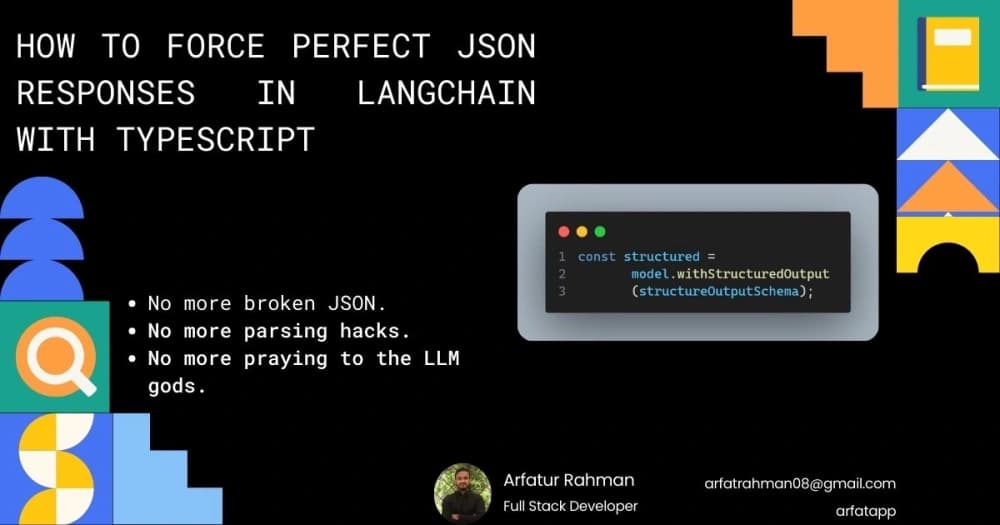

How to Force Perfect JSON Responses in LangChain with TypeScript (2025 Edition)
No more broken JSON. No more parsing hacks. No more praying to the LLM gods.
If you’ve ever built a chatbot, agent, or any AI-powered feature in Next.js, you know the pain:
- You beg the model: “Please respond with valid JSON only”
- It still wraps it in ```json
- Your parser explodes half the time
- Production crashes at 3 AM
There is now a 100% reliable solution in 2025, and it’s embarrassingly simple. It’s called .withStructuredOutput() in LangChain—paired with Zod + TypeScript, you get perfectly typed, guaranteed JSON every single time.
Here’s exactly how to do it, based on a full working Next.js 16 app using Gemini. This guide incorporates real code from a production-like implementation, including error handling, prompts for better control, and a sleek frontend with shadcn/ui.
The One Line That Changes Everything
const structured = model.withStructuredOutput(structureOutputSchema);
That’s it. One line. Zero post-processing. LangChain natively forces models like Gemini, OpenAI, Groq, and Anthropic to obey your schema at the API level.
Step-by-Step: Full Working Example (Next.js 16 + TypeScript + Gemini)
1. Install the Bare Minimum
Based on the project's package.json, here are the key dependencies:
npm install @langchain/google-genai zod # For UI components (shadcn/ui via radix-ui, etc.): npm install @hookform/resolvers @radix-ui/react-label @radix-ui/react-progress @radix-ui/react-scroll-area @radix-ui/react-separator @radix-ui/react-slot class-variance-authority clsx lucide-react next-themes react-hook-form tailwind-merge # Or for other providers: # npm install @langchain/openai # npm install @langchain/groq # npm install @langchain/anthropic
2. Define Your Bulletproof Schema (Zod = the Boss)
Use Zod to define and validate your output structure. This ensures the model’s response matches exactly.
// lib/zod-schema/structure-output.ts import { z } from "zod"; export const structureOutputSchema = z.object({ summary: z.string().min(1).max(1000), confidence: z.number().min(0).max(1), }); export type IStructureOutput = z.infer<typeof structureOutputSchema>;
3. Set Up the Model
// lib/models.ts import { ChatGoogleGenerativeAI } from "@langchain/google-genai"; export const model = new ChatGoogleGenerativeAI({ model: "gemini-2.5-flash-lite", // Use the latest Gemini model for 2025 temperature: 0, // Deterministic for structured output apiKey: process.env.GEMINI_API_KEY, });
4. The Magic API Route (with Error Handling)
This route handles requests, applies structured output, and includes prompts for guidance. It uses utility functions for standardized responses and error handling.
// app/api/structure-output/route.ts import { model } from "@/lib/models"; import { structureOutputSchema } from "@/lib/zod-schema/structure-output"; import { formatResponse } from "@/lib/api-response"; import { routeErrorHandler } from "@/lib/api-error-handler"; export async function POST(request: Request) { try { const body = await request.json(); console.log(body); // Log for debugging (update from original) const system = "You are a concise assistant. Return only the requested JSON."; const user = `Summarize for a beginner:\\n${body?.message}\\nReturn fields: summary (short paragraph), confidence (0..1)`; const structured = model.withStructuredOutput(structureOutputSchema); const response = await structured.invoke([ { role: "system", content: system }, { role: "human", content: user }, ]); return formatResponse(response, "Data fetched successfully"); } catch (error) { console.log("Error", { error }); return routeErrorHandler(error); } }
Utility functions for responses:
// lib/api-response.ts import { NextResponse } from "next/server"; type ApiResponse<T> = { success: boolean; message: string; data?: T; }; export function formatResponse<T>( data: T, message = "Operation completed successfully", status = 200, ) { return NextResponse.json<ApiResponse<T>>( { success: true, message, data }, { status }, ); } export function formatErrorResponse( message = "An error occurred", status = 500, ) { return NextResponse.json<ApiResponse<null>>( { success: false, message, data: null }, { status }, ); }
Error handler:
// lib/api-error-handler.ts import { ZodError } from "zod"; import { formatErrorResponse } from "./api-response"; export class HTTPError extends Error { statusCode: number; constructor(message: string, statusCode: number) { super(message); this.statusCode = statusCode; } } export function routeErrorHandler(error: unknown) { if (error instanceof ZodError) { const validationErrors = error.issues.map(issue => issue.message).join(", "); return formatErrorResponse(validationErrors, 422); } else if (error instanceof Error) { return formatErrorResponse(error.message, 500); } else { return formatErrorResponse("Internal server error. Please try again later", 500); } }
5. Bonus: Clean Frontend with shadcn/ui (Full Chat Component)
This frontend handles user input, displays messages with processing states, and renders structured outputs with confidence bars.
// components/ChatPage.tsx "use client"; import { useState, useEffect, useRef } from "react"; import { useForm } from "react-hook-form"; import { z } from "zod"; import { zodResolver } from "@hookform/resolvers/zod"; import { Send, Loader2, Bot, User, CheckCircle, Info } from "lucide-react"; import { Button } from "@/components/ui/button"; import { Input } from "@/components/ui/input"; import { Card, CardContent } from "@/components/ui/card"; import { Progress } from "@/components/ui/progress"; import { Separator } from "@/components/ui/separator"; import { Form, FormControl, FormField, FormItem, FormMessage } from "@/components/ui/form"; import { ScrollArea } from "@/components/ui/scroll-area"; const ChatSchema = z.object({ message: z.string().min(1, "Message cannot be empty"), }); type ChatSchemaType = z.infer<typeof ChatSchema>; type ChatMessage = { role: "user" | "bot"; text: string; confidence: number; summary: string; isProcessing?: boolean; }; export default function ChatPage() { const [messages, setMessages] = useState<ChatMessage[]>([]); const chatEndRef = useRef<HTMLDivElement>(null); const form = useForm<ChatSchemaType>({ resolver: zodResolver(ChatSchema), defaultValues: { message: "" }, }); useEffect(() => { chatEndRef.current?.scrollIntoView({ behavior: "smooth" }); }, [messages]); async function onSubmit(values: ChatSchemaType) { const userMessage = values.message; setMessages((prev) => [ ...prev, { role: "user", text: userMessage, confidence: 0, summary: "" }, { role: "bot", text: "Thinking...", confidence: 0, summary: "", isProcessing: true }, ]); form.reset(); form.setFocus("message"); try { const res = await fetch("/api/structure-output", { method: "POST", body: JSON.stringify({ message: userMessage }), headers: { "Content-Type": "application/json" }, }).then((r) => r.json()); setMessages((prev) => { const newMessages = [...prev]; const processingIndex = newMessages.findIndex((m) => m.isProcessing); if (processingIndex !== -1) { if (res.success) { newMessages[processingIndex] = { role: "bot", text: "", confidence: res.data.confidence, summary: res.data.summary, isProcessing: false, }; } else { newMessages[processingIndex] = { role: "bot", text: res.message || "An error occurred during processing.", confidence: 0, summary: "", isProcessing: false, }; } } return newMessages; }); } catch (error) { setMessages((prev) => { const newMessages = [...prev]; const processingIndex = newMessages.findIndex((m) => m.isProcessing); if (processingIndex !== -1) { newMessages[processingIndex] = { role: "bot", text: "Network error. Failed to connect to the backend.", confidence: 0, summary: "", isProcessing: false, }; } return newMessages; }); } } return ( <div className="max-w-3xl mx-auto py-8 px-4 h-screen flex flex-col bg-background"> <h1 className="text-3xl font-extrabold mb-4 flex items-center gap-2 text-gray-800 dark:text-gray-200"> <Bot className="h-7 w-7 text-primary" /> Structured Chat Demo </h1> <Separator className="mb-6" /> <ScrollArea className="flex-1 h-[calc(100vh-200px)] mb-6 p-4 border rounded-xl shadow-lg bg-card/50"> <div className="space-y-6"> {messages.length === 0 ? ( <div className="text-center pt-20"> <Info className="h-10 w-10 mx-auto text-muted-foreground mb-3" /> <p className="text-lg text-muted-foreground font-semibold">Ready for your query.</p> <p className="text-sm text-muted-foreground mt-1">Ask a question to see the confidence and summary structure.</p> </div> ) : ( messages.map((m, i) => ( <div key={i} className={`flex ${m.role === "user" ? "justify-end" : "justify-start"} animate-in fade-in duration-300`} > <div className={`max-w-[90%] md:max-w-[75%] flex items-start gap-3 p-3 rounded-2xl transition-all duration-300 ${ m.role === "user" ? "bg-primary text-primary-foreground rounded-br-none shadow-md" : "bg-secondary text-secondary-foreground rounded-bl-none border border-gray-200 dark:border-gray-700 shadow-sm" }`} > <div className={`w-7 h-7 flex-shrink-0 flex items-center justify-center rounded-full text-white font-bold text-sm ${ m.role === "user" ? "bg-primary-foreground text-primary" : "bg-primary" }`} > {m.role === "user" ? <User size={16} /> : <Bot size={16} />} </div> <div className="flex-1 min-w-0"> {m.isProcessing && ( <div className="flex items-center space-x-2 text-sm text-muted-foreground animate-pulse font-medium"> <Loader2 className="h-4 w-4 animate-spin text-primary" /> <span>AI is processing the request...</span> </div> )} {m.text && !m.isProcessing && ( <p className="whitespace-pre-line text-sm md:text-base break-words">{m.text}</p> )} {m.role === "bot" && m.confidence > 0 && ( <Card className="mt-2 bg-background/80 border-2 border-primary/20 shadow-lg"> <CardContent className="p-4 space-y-3"> <div className="flex items-center gap-2 text-sm text-primary font-bold border-b pb-2"> <CheckCircle className="h-4 w-4" /> Structured Confidence Result </div> <div className="space-y-1"> <p className="text-xs font-semibold text-muted-foreground flex justify-between"> <span>Confidence Score</span> <span>{(m.confidence * 100).toFixed(1)}%</span> </p> <Progress value={m.confidence * 100} className={`h-2 w-full transition-all duration-500 ${ m.confidence > 0.8 ? "[&>*]:bg-green-500" : m.confidence > 0.5 ? "[&>*]:bg-yellow-500" : "[&>*]:bg-red-500" }`} /> </div> <Separator /> <div className="space-y-1"> <p className="text-xs font-semibold text-muted-foreground">Summary:</p> <p className="text-sm italic text-gray-700 dark:text-gray-300 bg-secondary/30 p-2 rounded"> {m.summary} </p> </div> </CardContent> </Card> )} </div> </div> </div> )) )} <div ref={chatEndRef} /> </div> </ScrollArea> <div className="mt-auto pt-4 bg-background sticky bottom-0"> <Form {...form}> <form onSubmit={form.handleSubmit(onSubmit)} className="flex gap-3"> <FormField control={form.control} name="message" render={({ field }) => ( <FormItem className="flex-1 relative"> <FormControl> <Input placeholder="Ask the AI a question to get a structured response..." {...field} disabled={form.formState.isSubmitting} className="h-14 text-base rounded-xl border-2 pr-14 focus-visible:ring-primary" onKeyDown={(e) => { if (e.key === "Enter" && !e.shiftKey) { e.preventDefault(); if ((field?.value ?? "").trim() && !form.formState.isSubmitting) { form.handleSubmit(onSubmit)(); } } }} /> </FormControl> <FormMessage className="absolute -bottom-6 left-0" /> </FormItem> )} /> <Button type="submit" disabled={form.formState.isSubmitting || !form.getValues("message")} className="h-14 px-6 rounded-xl shadow-lg transition-all duration-200 hover:scale-[1.02]" > {form.formState.isSubmitting ? ( <Loader2 className="h-5 w-5 animate-spin" /> ) : ( <Send className="h-5 w-5" /> )} <span className="sr-only md:not-sr-only md:ml-2">Send</span> </Button> </form> </Form> </div> </div> ); }
That’s it. You now have guaranteed, typed JSON responses with a full chat interface.
Why .withStructuredOutput() Wins in 2025
| Method | Reliability | TypeScript Safety | Speed | Developer Happiness |
|---|---|---|---|---|
| “Please return JSON” | ~60% | ❌ | Medium | 😭 |
| Output parsers + regex | ~85% | ⚠️ | Slow | 😤 |
| .withStructuredOutput() | 99.9% | ✅ Full | Fastest | 🥹 |
This method leverages model-native enforcement (e.g., JSON mode or function calling), reducing tokens and costs. Community discussions in 2025 highlight its robustness for production apps, with fixes for edge cases like schema mismatches.
Works With Every Major Provider (Just Swap One Line)
// OpenAI import { ChatOpenAI } from "@langchain/openai"; const model = new ChatOpenAI({ model: "gpt-4o-mini", temperature: 0 }); // Groq (blazing fast + cheap) import { ChatGroq } from "@langchain/groq"; const model = new ChatGroq({ model: "llama-3.1-70b-versatile" }); // Anthropic import { ChatAnthropic } from "@langchain/anthropic"; const model = new ChatAnthropic({ model: "claude-3-5-sonnet-20241022" });
The same .withStructuredOutput(schema) line works across all.
Frequently Asked Questions
Q: Is .withStructuredOutput() available in LangChain JS/TS?
A: Yes—fully supported since early 2024 and rock-solid in 2025, with ongoing improvements for providers like Gemini.
Q: Do I still need to say “return JSON” in the prompt?
A: Not required, but including a system prompt like "Return only the requested JSON" can enhance consistency. The API enforces the schema regardless.
Q: Can I use arrays, nested objects, enums, etc.?
A: Absolutely. Zod handles complex schemas:
z.object({ steps: z.array(z.string()), categories: z.array(z.enum(["tech", "design", "business"])), metadata: z.object({ source: z.string(), author: z.string().optional(), }), })
Q: Is it slower or more expensive?
A: Actually faster and cheaper—fewer tokens, no extra text. Gemini's structured mode optimizes this further.
Get Started in 5 Minutes
- Grab a free Gemini API key → https://aistudio.google.com/app/apikey
- Add it to .env.local
- Copy the code above
- npm run dev
- Test with a query like "Explain quantum computing"
You now have the most reliable AI backend possible in 2025. No more JSON.parse() crashes. Just perfect, predictable, typed responses—every time.
Structured output is life. Save this post. Bookmark it. You’ll thank yourself later.
Happy coding! 🚀
Resources
- LangChain Google GenAI Integration
- LangChain OpenAI Integration
- LangChain Groq Integration
- Google Gemini Models
- LangChain Structured Output Guide
- StructuredOutputMethodOptions Reference
- StructuredOutputType Reference
Key Citations:


About the Author

Comments
No Comments
Leave a replay
Your email address will not be publish. Required fields are marked *